
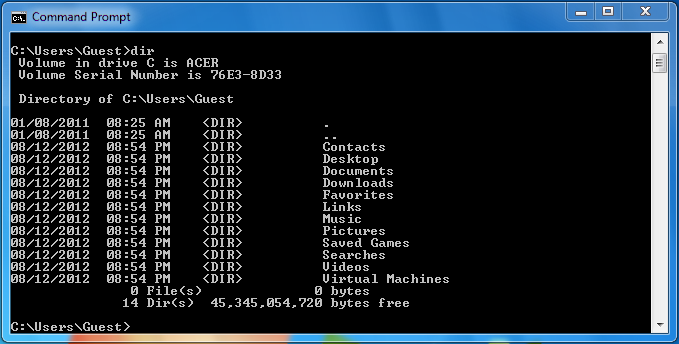
Command-Based Interfaces are computer interfaces that rely on commands to be typed in by the user when prompted in order to yield results. In many PCs, this is known as the Command Line Interface, as opposed to the Graphical User Interface, in which the user interacts with graphic displays in the forms of icons, menus, and other shortcuts that allow the user to interact with the interface using the mouse and a monitor.
Despite the overwhelming popularity of GUIs among the general population due to how easy they are to use, many professionals prefer to use command based interfaces with certain technologies if it allows them to work faster and more precisely than the graphic, menu based interfaces many softwares offer. Often, professional software will use a heavy mix of graphic interfaces and keyboard shortcuts in order to streamline the workflow, and present the user with the strongest points of both the Graphical Interface and the Command-Based Interface. (Preece, Rogers, & Sharp, 2015, p. 160)
Personally, while Graphic User Interfaces are obviously the most intuitive and easiest to use for a majority of the population, I feel that in our rush to improve the quality of GUIs, we leave behind that portion of our population that is visually impaired and not able to interact with GUIs. With technology being such an integral and unavoidable part of our society, I believe that part of our responsibility as designers is to accommodate for people with disabilities. The most amazing technology will always dull a little for every person that is left unable to use it due to lack of consideration for accessibility.
References
Preece, Rogers, & Sharp, (2015). Interaction Design: Beyond Human Computer Interaction. West Sussex, United Kingdom: John Wiley & Sons, Ltd.
 Interaction Reflections